New tabbed menu features in Elemental Menu version 2.3.1
Elemental Menu version 2.3.1 was just released. There’re important changes to the tabbed mega menu layout you should know before upgrading.
Unified controls
From version 2.3.1, you don’t have to set width, padding and border for each title tab anymore. Now we have unified controls allowing you to do that in one go:
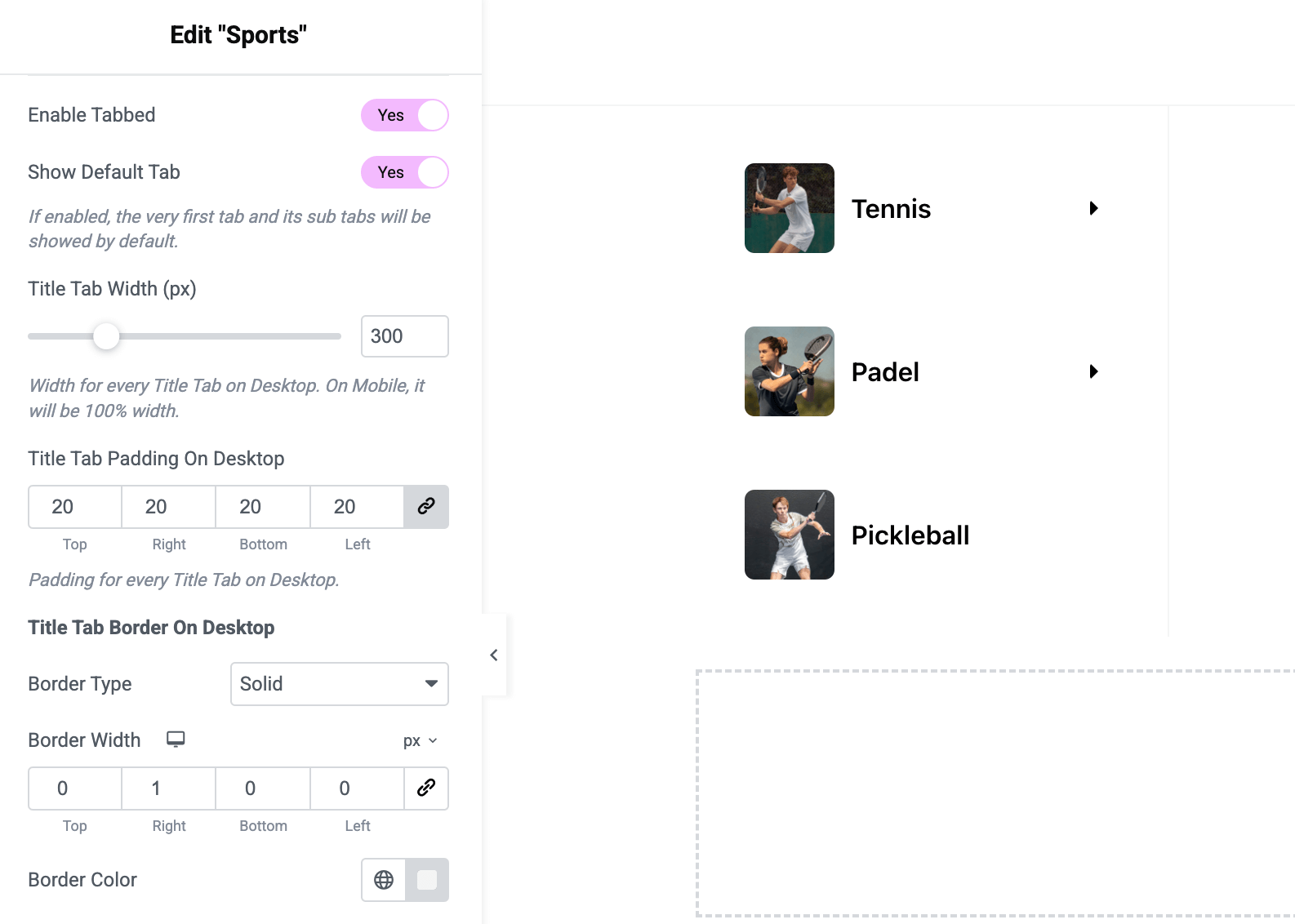
You can find the controls on the Submenu control section when editing a top-level menu item (make sure to enable Mega first).
Will content tabs be affected?
The controls have no effect to content tabs.
- The width: Content tabs will take remaining width of the submenu container automatically (subtraction of all title tabs). The width you set on the containing column/container has no effect.
- The padding: You can set whatever value by using the padding controls of the containing column/container.
- The border: You can set whatever value by using the border controls of the containing column/container.
How to migrate?
If you strictly follow this tutorial of building a tabbed mega menu, all you need to do is to edit each tabbed menu item, enable the “Enabled Tabbed” control then use the width, padding and border controls to adjust the tabs’ layout.
What does “strictly” mean?
It means that each Elementary Menu widget must be a nested inside a column or a container. The structure you see on the editor of each title tab should be like this:
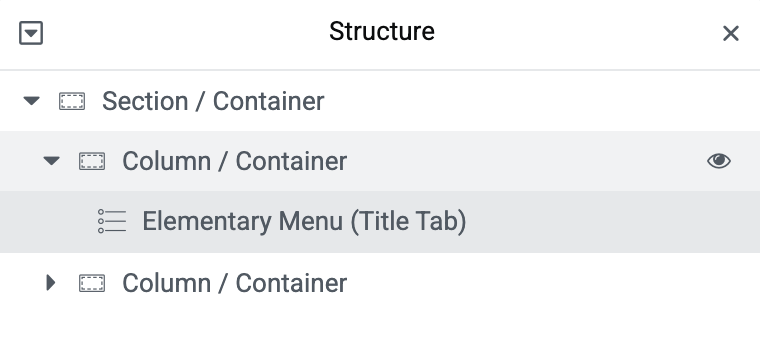
If your title tab structure is not like that, things might not be rendered properly. And in this case, you have to update your tabs to follow the above structure. Elemental Menu can’t guarantee backward-compatibility for dynamic content which is unpredictable.