How To Fetch WordPress Menu Items with Etch Query Loop
Step 1. Create a query loop
Create a new query loop with these params:
$query_args = [
    'post_type'              => 'nav_menu_item',
    'post_status'            => 'publish',
    'order'                  => 'ASC',
    'orderby'                => 'menu_order',
    'posts_per_page'         => -1,
    'output_key'             => 'menu_order',
    'no_found_rows'          => true,
    'suppress_filters'       => false,
    'update_menu_item_cache' => false,
    'update_post_term_cache' => false,
    'update_post_meta_cache' => false,
    'tax_query' => [
        [
            'taxonomy' => 'nav_menu',
            'field'    => 'term_taxonomy_id',
            'terms'    => $menu_id
        ]
    ]
];
$menu_id is a dynamic param. We will set it later. Make sure to set suppress_filters to false so that we can filter queried menu items.
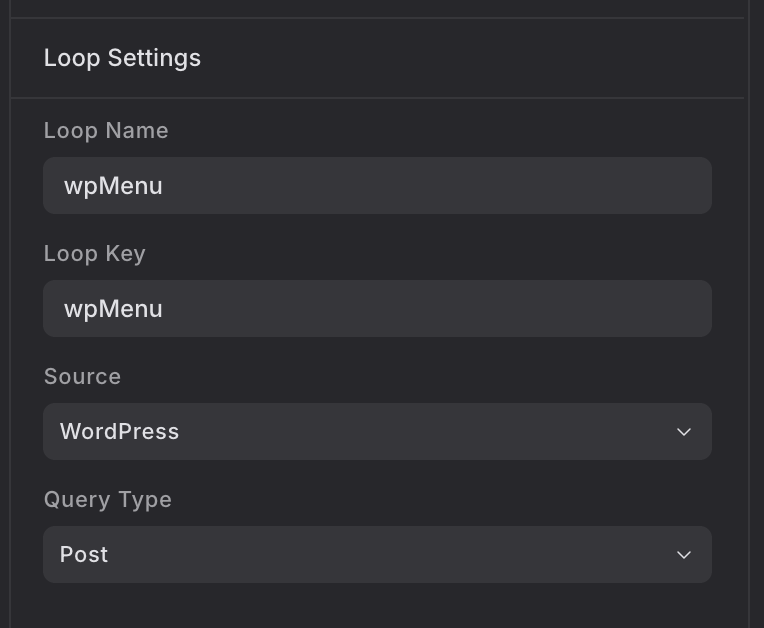
The loop settings:
Step 2: Build menu items tree
Add below code into the functions.php file of the Etch child theme:
Require PHP version 7.6 at least.
/**
 * Build sub items tree
 *
 * @param array $items
 * @param int $parent_id
 * @return array
 */
function wpc_parse_sub_items(array $items, $parent_id): array
{
    $sub_items = [];

    foreach ($items as $item) {
        if ($item->menu_item_parent == $parent_id) {
            $_sub_items = wpc_parse_sub_items($items, $item->ID);
            if ($_sub_items) {
                $item->children = $_sub_items;
            }
            $sub_items[] = $item;
        }
    }

    return $sub_items;
}

/**
 * Build items tree
 *
 * @param array $items
 * @return array
 */
function wpc_parse_menu_items(array $items): array
{
    $top_items = [];

    foreach ($items as $item) {
        if (!$item->menu_item_parent) {
            $top_items[] = $item;
        }
    }

    foreach ($top_items as $item) {
        $sub_items = wpc_parse_sub_items($items, $item->ID);
        if ($sub_items) {
            $item->children = $sub_items;
        }
    }

    return $top_items;
}

/**
 * Filter queried menu items
 *
 * @internal Callback.
 * @uses wp_setup_nav_menu_item
 * @see https://developer.wordpress.org/reference/hooks/the_posts/
 */
function wpc_filter_queried_menu_items(array $items, $wp_query): array
{
    if ('nav_menu_item' !== $wp_query->query_vars['post_type']) {
        return $items;
    }

    $items = wpc_parse_menu_items(array_map('wp_setup_nav_menu_item', $items));

    return $items;
}
add_filter('the_posts', 'wpc_filter_queried_menu_items', PHP_INT_MAX, 2);
Step 3: Render queried menu items
The HTML code (simplified, change 208 to ID of the menu you want):
{#loop wpMenu($menu_id: 208) as item}
  <li>
    <a href={item.url}>{item.title}</a>
    {#if item.children}
      <ul>
        {#loop item.children as childItem}
          <li><a href={childItem.url}>{childItem.title}</a></li>
        {/loop}
      </ul>
    {/if}
  </li>
{/loop}
Now you should see the output. If you have any questions, let me know in the comment section.